Posts

Showing posts with the label css3

Vivify — CSS animation library

Image
  I find the easiest animation library, applying with CSS class name. You don’t need to add so many files to your projects if only some animation is needed, which includes 72 animation selections. Official site How to use it? Step1: import the vivify.min.css you can download from the  GitHub page Step2: setup the items you want animate in HTML I only did it with the same gif images. done. Isn’t that so simple?😁 The list animation class name you can add: ball blink driveInBottom driveInLeft driveInRight driveInTop driveOutBottom driveOutLeft driveOutRight driveOutTop fadeIn fadeInBottom fadeInLeft fadeInRight fadeInTop fadeOut fadeOutBottom fadeOutLeft fadeOutRight fadeOutTop flip flipInX flipInY flipOutX flipOutY fold hitLeft hitRight jumpInLeft jumpInRight jumpOutLeft jumpOutRight popIn popInBottom popInLeft popInRight popInTop popOut popOutBottom popOutLeft popOutRight popOutTop pullDown pullLeft pullRight pullUp pulsate rollInBottom rollInLeft rollInRight rollInTop rollOut...

3D animated books with CSS

Image
You never know the power of CSS! With the development of tech, the CSS became more creative and powerful, even though it’s the basic knowledge when you step into the developer’s field. Making it 3D! When mention about 3D, the language always comes to my mind is “three.js” which is popular and dramatically powerful with Javascript knowledge needed. Yeah, it definitely needs work to follow up. But the CSS one is the easiest way to make the screen live. Live demo First comimg with the structure of the building, the html part. The book is the box of the playground. The four sides of the book vertically is inside the div named span tag. The top is the side of the book as we can see.Btw, I ignored the bottomside of the book, because we can’t see it when animated,right? :) Then the most important part is CSS. The font is from goole online font. And the basic setting for centring the book. The book positioned with the angles , the “transform ” rotates the sides of book. For the infin...

Three fun uses of ::before and ::after

Image
 Three fun use of ::before and ::after 1.filter background 2.mixed-color background 3.gradient shadow Learn from Kevin Powell

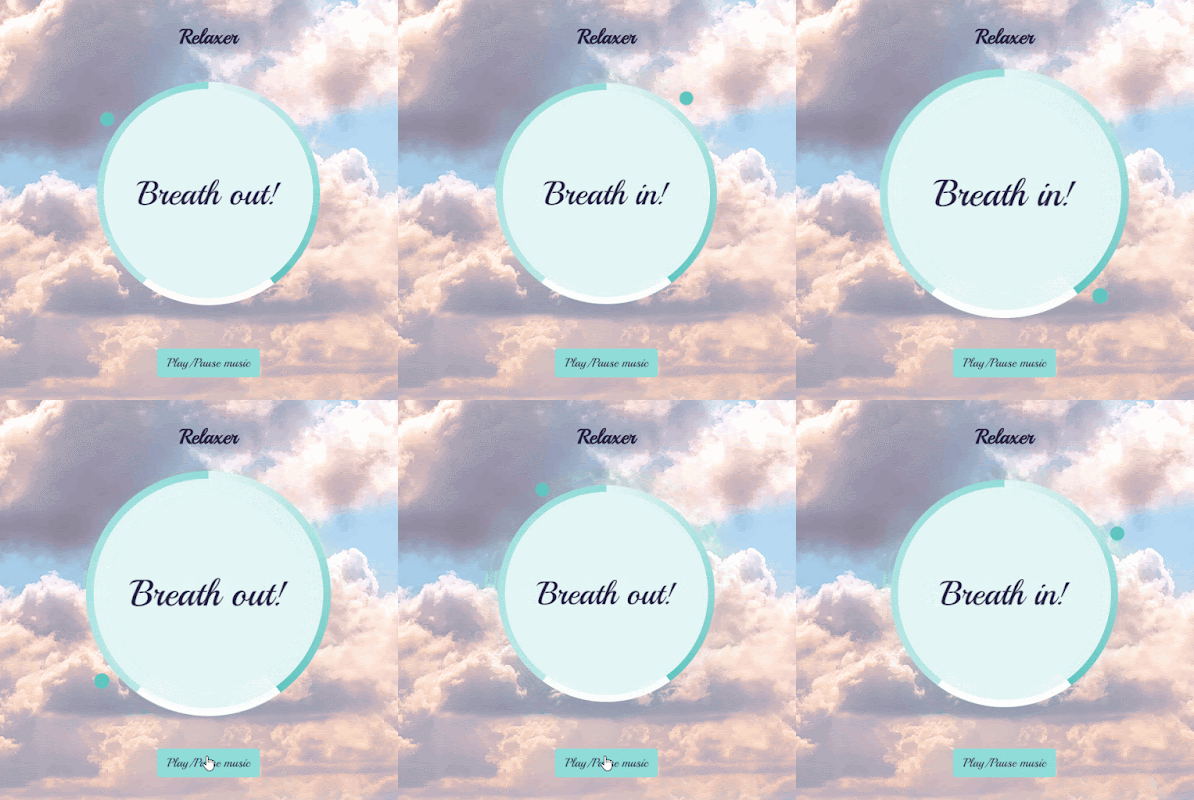
Relaxer APP with Javascript

Image
  course from Brad Traversy Github code Features: css animation setInterval setTimeout audio control HTML circle is a circle with solid color text is for reminder messages in the center pointer is the animated circle around the circle gradient circle is the three sections gradient background behind the circle layer audio with a control button CSS gradient circle is a conic gradient background and larger than the circle .  the z-index of circle is -1, soo the gradient cicle is -2 (under the circle) pointer is a small round outside of circle and gradient circle. the pointer container is like the clock, rotating around animation rotate infinitly rotate from 0 to 360 degrees When the class name contains grow, scale bigger when the class name contains shrink, scale smaller JS select all the element DOM init the totalTime,breathTime and holdTime when loading the page, the function breathAnimation runs. the text shows "breath in" and the circle scale larger with grow class name adde...

Memory cards with Javascript

Image
  course from Brad Traversy Github code Features: localStorage set and get card flip animation CSS slide the cards two direction add, clear cards  HTML cleat button is on the bottom of the page add new card button is on the top of the page with title cards-container is the place to display the added cards container the navigation with two buttons and the current card number add-container is the box with two inputs and a submit button when triggering add-a-new-card  CSS apply perspective to the outside of card each card is in an absolute position when the card is active, change the translalteX and rotateY degree .  with the left class name, change the x axis and rotateY degree for a flipping card effect, transform-style:preserve-3d and animation rotateX degree when flip, rotate x each card has two sides: front and back add an icon before the flip button with Font awesome  The pop-up adding container position is the same as card. hide first when loading JS select ...

animated scrolling template with AOS

Image
  AOS scrolling animated library template apply.  About the animated scrolling library has lots of options. I'll list some below: delighter.js ---CSS3 animation effects when scrolling scrollreveal.js ---animated elements when scroll page example page(fortnite gun gallary) Parallax with Javascript Laxxx.js ---a light weight Plugin to create animation when scrolling AOS animation demo smoove.js --Gorgeous CSS3 Scroll Effects jquery-scrolla.js ---a jQuery plugin for reveal animations when scrolling Download the landing template from tailwind  . There are 4 sample pages and 4 kinds of projects,such as html,angular,react and vueJS. I grab the html page.  My demo code Github. AOS library Github In this demo, I only set the attibutes to the div I want animate in the html tag. such as "data-aos" and "data-aos-delay". Initialize AOS: AOS . init ( ) ; // You can also pass an optional settings object // below listed default settings AOS . init ( { // Global sett...